You can transform your team’s productivity by automating seven key tasks that typically drain hours each week. Set up email follow-up sequences to boost response rates by 250%, create instant lead notifications to respond within minutes, batch-schedule social media content, automate invoice reminders to cut payment cycles in half, build self-running client onboarding flows, deploy auto-replies for common questions, and sync your CRM with email to eliminate manual data entry. Each automation takes just 30 minutes to set up but saves hours weekly, and the guide below shows you exactly how to implement them.
Automate Email Follow-Ups in Under 30 Minutes

Most sales professionals spend 21% of their day writing emails, yet nearly 70% of those messages never receive a response. You’re trapped in this cycle, manually tracking who to follow up with and when.
Break free with automated email sequences. Tools like Mailchimp, HubSpot, or ActiveCampaign let you create triggered follow-ups in minutes. Set up a simple three-email sequence: initial outreach, a value-add follow-up after three days, and a final check-in after a week.
You’ll reclaim hours each week while boosting response rates by up to 250%. The setup takes less than 30 minutes, but the payoff compounds daily. Stop being your CRM’s servant – let automation handle the repetitive work while you focus on conversations that actually close deals.
Automate Lead Notifications So You Never Miss a Sale
While you’re perfecting your email sequences, potential customers are slipping through the cracks because you didn’t see their inquiry until hours – or days – later. You need instant notifications the moment someone shows buying intent.
Set up alerts that break you free from constant inbox monitoring:
| Trigger Event | Notification Method | Response Time Goal |
|---|---|---|
| Form submission | SMS + Slack | Under 5 minutes |
| Demo request | Email + mobile push | Under 15 minutes |
| Pricing page visit (3x) | Slack channel alert | Same day |
| Cart abandonment | Team dashboard flag | Within 1 hour |
| High-value lead score | Direct phone call | Immediate |
Connect your CRM to communication tools you actually use. You’ll respond while competitors are still checking email.
Schedule a Week of Social Posts in One Sitting
You’re spending 30 minutes crafting the perfect LinkedIn post on Monday, another 20 minutes on a Tuesday tweet, then scrambling Wednesday to think of something clever for Instagram. This daily grind fragments your focus and kills momentum on actual revenue-generating work.
Batch-create your social content instead. Set aside two hours each week to write, design, and schedule every post at once. Tools like Buffer, Later, or Hootsuite let you queue content across all platforms simultaneously.
The mental shift is powerful – you’ll stop treating social media as an interruption and start seeing it as a completed task. You’ll maintain consistent visibility without the constant context-switching that drains your energy. Your audience gets regular content. You get your time back.
Send Automatic Invoice Reminders to Get Paid Faster

Every unpaid invoice sitting in your client’s inbox is money you’ve already earned but can’t spend. Stop chasing payments manually. Set up automatic reminders that trigger at specific intervals – three days before due date, on due date, then weekly after. Your accounting software already has this feature buried in settings.
These automated nudges free you from awkward follow-up conversations while maintaining professional consistency. Clients appreciate the clarity, and you’ll see payment cycles shrink from 45 days to 20. You’re not being pushy; you’re establishing boundaries around your work’s value.
The best part? Configure it once and forget it exists. Your system handles collections while you focus on delivering great work. That’s money in the bank without lifting a finger.
Build a Client Onboarding Sequence That Runs Itself
Client onboarding doesn’t need to consume hours of manual work each time you sign a new contract. You can build an automated sequence that sends personalised welcome emails, triggers document collection workflows at the right moments, and assigns tasks to your team members without lifting a finger. Set it up once, and every new client receives a consistent, professional experience while you focus on delivering actual results.
Automate Welcome Email Series
A well-crafted welcome email series transforms confused new clients into confident partners who know exactly what to expect from your business. You’ll break free from repetitive explanations when your automated sequence delivers the right message at precisely the right moment.
Set up three to five emails that drip out over your client’s first two weeks. Start with immediate access details and quick wins. Follow with educational content about your process, team introductions, and answers to common questions. End by inviting engagement and setting clear next steps.
Your email platform handles the timing while you focus on higher-value work. Template each message once, personalise with merge fields, and let the system run. You’ve just reclaimed hours every week while improving your client experience.
Schedule Document Collection Workflows
Missing documents create the single biggest bottleneck in client onboarding, turning what should be a smooth two-day process into a frustrating two-week back-and-forth. You can eliminate this chaos by automating your document collection workflow.
Set up a sequence that triggers when a client signs your contract. The system automatically sends personalised requests at strategic intervals, tracking exactly what’s missing and sending targeted reminders without your intervention.
Your automated workflow should:

- Send the initial document request immediately after contract signing
- Deliver reminder emails at 3-day and 7-day intervals for incomplete submissions
- Notify your team instantly when all documents arrive
- Route completed packets directly to the appropriate team member
You’ll reclaim hours spent chasing paperwork while clients experience a professional, seamless onboarding process.
Set Task Assignment Triggers
Every completed onboarding step should trigger the next action automatically, creating a self-running sequence that eliminates the mental load of remembering what comes next. When a client signs your contract, trigger the welcome email and first questionnaire. When they submit that form, assign the kickoff call scheduling task to your team member. When the meeting’s booked, trigger the prep document delivery.
You’re building a domino effect where each completion launches the next step without your intervention. Configure these triggers once in your project management tool, then let the system handle the handoffs. Your brain stays free for strategic work instead of tracking administrative details.
This automation transforms onboarding from a draining juggling act into a reliable machine that runs while you focus on delivering exceptional client results.
Create Auto-Replies for Your Most Common Questions
When you’re answering the same questions day after day, you’re wasting time that could go toward growing your business. Auto-replies break you free from this repetitive cycle, letting you focus on work that actually matters.
Auto-replies free you from repetitive questions so you can focus on work that grows your business.
Start by identifying questions that drain your inbox. Then create templates that deliver instant, helpful responses:
- Pricing inquiries – Send detailed breakdowns with package options automatically
- Availability requests – Share your calendar link and booking instructions immediately
- Shipping updates – Trigger tracking information the moment customers ask
- Onboarding questions – Deliver welcome guides and setup instructions instantly
You’ll reclaim hours every week while customers get faster answers. Set these up once, and you’re done repeating yourself forever.
Sync Your CRM and Email to Eliminate Double Entry
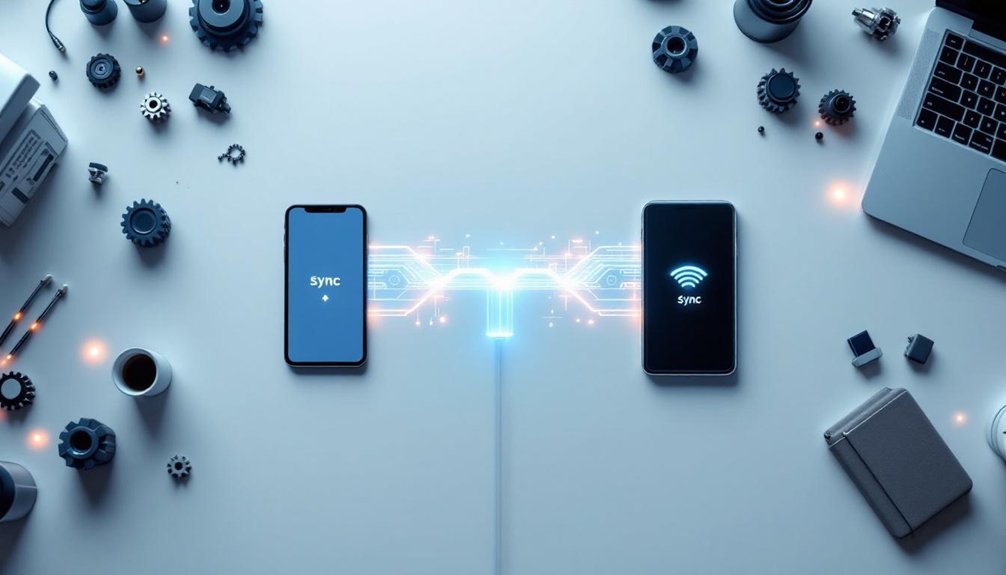
Data doesn’t care that you’ve already typed it once. It’ll sit there demanding you manually copy contact details from your inbox into your CRM like some digital tyrant. You’re better than this mindless shuffling.
Connect your email and CRM through native integrations or tools like Zapier. When a new lead emails you, their information automatically flows into your database. When you update a contact record, those changes sync back. No duplicate effort. No forgetting which system holds the truth.
This liberation costs you maybe thirty minutes to set up. In return, you’ll reclaim hours every week – time you can spend actually talking to customers instead of being a human copy-paste machine. Your team stays coordinated. Your data stays accurate. You stay sane.