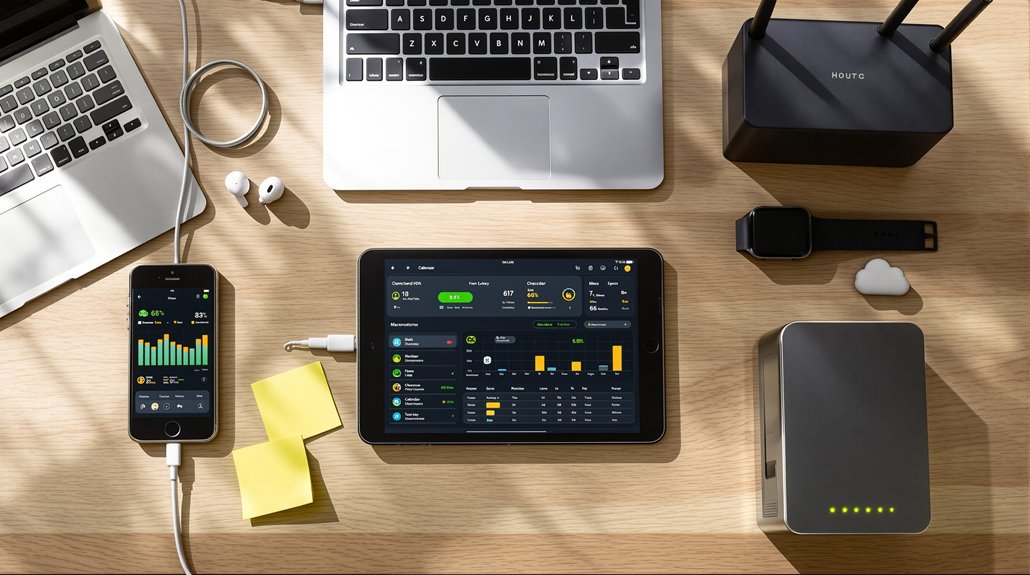
The most impactful small business tool syncs start with connecting your email and CRM to capture every customer interaction automatically, followed by form builders that route leads directly into your system. You’ll want to integrate payment processors with accounting software for real-time revenue tracking, sync SMS platforms for unified conversation threads, and connect social media schedulers to analytics dashboards. Setting up marketing automation with lead scoring rules and establishing data hygiene standards prevents duplicates before they occur. Below, you’ll find detailed configurations for each integration to maximise efficiency and minimise manual work.
Why Email and CRM Integration Should Come First

When you’re building your small business tech stack, your email and CRM integration forms the foundation that makes everything else work. You’ll break free from manual data entry and scattered customer information that wastes your time. Every email interaction automatically logs into your CRM, creating a complete conversation history you can access anywhere.
This integration liberates you from switching between platforms and losing critical details. You’ll track leads, nurture relationships, and close deals faster because all communication lives in one place. Your team gains instant visibility into customer touchpoints without micromanagement or status meetings.
Start here before adding other tools. Once your email and CRM sync seamlessly, you’ve created a reliable core that supports every automation, integration, and workflow you’ll build next.
Syncing Lead Capture Forms Directly to Your CRM
You’re wasting valuable time if you’re still manually typing form submissions into your CRM. Most popular form builders like Typeform, Gravity Forms, and JotForm offer native integrations with major CRMs such as HubSpot, Salesforce, and Zoho. These direct connections automatically route new leads into your CRM the moment someone hits submit, eliminating data entry errors and ensuring you can follow up while prospects are still warm.
Popular Form-CRM Integrations
Lead capture forms serve as your digital front door, but they’re only valuable if the information flows directly into your CRM without manual data entry.
Typeform + HubSpot lets you create engaging forms that automatically populate your contact database with rich lead data.
Google Forms + Salesforce through Zapier provides a free form solution that feeds directly into your sales pipeline.
Gravity Forms + Zoho CRM works perfectly for WordPress sites, eliminating the copy-paste cycle that wastes your time.
JotForm + Pipedrive captures leads from any channel and routes them to the right sales representative instantly.
Wufoo + ActiveCampaign combines form submissions with automated email sequences, freeing you from manual follow-ups.
Each integration breaks the chains of repetitive data entry, giving you hours back to focus on closing deals.
Automation Reduces Manual Entry
Every time you manually type a lead’s information from a form into your CRM, you’re burning 3-5 minutes that could’ve gone toward actual sales conversations. Automation liberates you from this data-entry prison. Direct form-to-CRM syncing captures leads instantly, eliminating transcription errors and freeing your schedule for revenue-generating activities.
| Manual Entry | Automated Sync | Your Gain |
|---|---|---|
| 3-5 min/lead | Instant | Time freedom |
| Error-prone | 99.9% accurate | Data integrity |
| Delayed follow-up | Real-time alerts | Faster response |
| Tedious work | Set-and-forget | Mental energy |
You’ll reclaim hours weekly while ensuring no lead falls through the cracks. The setup takes thirty minutes, but the payoff compounds daily. Stop being your own data-entry clerk – let technology handle the grunt work while you close deals.
Setting Up Data Hygiene Rules Before You Integrate
Before you connect your business tools, establishing clear data hygiene rules will save you from cleaning up messy duplicates and inconsistent records later.
You’ll want to standardise formatting across your systems first. Decide how you’ll structure phone numbers, addresses, and contact names. Choose consistent date formats and timezone settings. Pick which tool will serve as your single source of truth for customer data.
Create validation rules that catch errors at entry. Set required fields that can’t be skipped. Define what counts as a duplicate contact and how you’ll handle merges.
Document these standards before integration begins. You’ll break free from data chaos and spend your energy growing your business instead of fixing preventable mistakes.
Connecting Your Marketing Automation to Your CRM
Once you’ve connected your marketing automation platform to your CRM, you’ll need to map the data fields between both systems to guarantee information flows correctly. Start by identifying which fields in your marketing tool correspond to fields in your CRM – this typically includes contact details, company information, and custom attributes you’ve created. Next, configure automated lead scoring rules that assign point values based on prospect behaviours and characteristics, allowing your CRM to prioritise leads automatically.
Essential Data Field Mapping
When you connect your marketing automation platform to your CRM, you’re fundamentally building a bridge between two systems that need to speak the same language. Field mapping determines which information flows where, ensuring your data maintains its integrity and usefulness.

Start by mapping critical fields: contact names, email addresses, phone numbers, and company details. These form your foundation. Next, align your custom fields – lead scores, campaign tags, and behavioural triggers. Mismatched fields create data silos that trap valuable insights.
Don’t map everything blindly. Each connection point requires intentional strategy. Ask yourself: “Does this field serve my team’s actual workflow?” Unnecessary mappings bog down your system and create confusion.
Test your mappings with sample records before going live. You’ll catch errors early and maintain clean data that actually empowers your decision-making.
Automated Lead Scoring Rules
Lead scoring transforms raw contact data into actionable intelligence by assigning numerical values to prospect behaviours and characteristics. You’ll automate this process by establishing rules that trigger when prospects take specific actions – opening emails, visiting pricing pages, downloading resources, or requesting demos.
Set demographic criteria that matter to your business: company size, industry, job title, or budget range. Configure your sync to pass these scores bidirectionally between platforms, ensuring your sales team sees real-time updates.
Create tiered thresholds that automatically categorise leads as cold, warm, or hot. When a prospect crosses your qualification threshold, trigger immediate notifications to sales. You’ll eliminate guesswork and manual prioritisation, freeing your team to focus on prospects ready to convert. This automation breaks you from reactive selling patterns.
Payment Processor Integration for Revenue Tracking
As your business processes payments through platforms like Stripe, Square, or PayPal, you’ll need automated revenue tracking to maintain accurate financial records. Manual data entry chains you to spreadsheets and creates opportunities for costly errors.
Connect your payment processors directly to your accounting software like QuickBooks or Xero. This sync automatically captures transaction details, fees, and refunds in real-time. You’ll eliminate hours of reconciliation work and gain instant visibility into cash flow.
Set up matching rules that categorise transactions correctly from the start. Map payment types to appropriate revenue accounts and establish filters for subscriptions versus one-time purchases.
Configure automated reports that show daily revenue, outstanding invoices, and payment trends. You’ll make faster decisions without waiting for month-end summaries.
Two-Way Calendar Sync for Sales Follow-Up Tracking

Sales conversations don’t end when you close your CRM – they continue in calendar invitations, rescheduled meetings, and follow-up calls that live in Google Calendar or Outlook. Without two-way sync, you’re manually duplicating entries between systems, wasting hours each week on administrative busywork that keeps you chained to your desk.
Set up bidirectional calendar integration so CRM activities automatically create calendar events, and vice versa. When prospects reschedule through your booking link, your CRM updates instantly. When you block time for client calls, those commitments flow into your sales pipeline.
This automation liberates you from double-entry drudgery. You’ll track every touchpoint without the soul-crushing data entry. Your follow-up schedule stays accurate across platforms, freeing mental bandwidth for actual selling instead of calendar management.
SMS Platform Integration to Unify Conversation History
You’re likely managing customer texts across multiple platforms – individual team phones, SMS marketing tools, and various messaging apps – making it nearly impossible to track conversation history. By integrating your SMS platforms, you’ll automatically consolidate message threads into a single system where every text conversation appears in one unified inbox. This centralisation gives your entire team access to complete customer communication histories, eliminating the “Who talked to this customer last?” problem that costs you time and credibility.
Centralise Multi-Channel Text Communications
Managing customer conversations across multiple phones, apps, and team members creates chaos that costs you real money. You’re losing leads because nobody knows who already responded. You’re duplicating work because text histories scatter across devices. You’re frustrating customers who have to repeat themselves.
Break free by centralising all text channels into one unified inbox. Route SMS, WhatsApp, Facebook Messenger, and web chat to a single platform your entire team accesses. Every conversation syncs automatically, showing complete customer history regardless of which channel they used.
You’ll eliminate dropped conversations, accelerate response times, and stop paying for confusion. Team members see what’s already been discussed before jumping in. Customers get consistent service without repeating their story. That’s liberation from communication chaos.
Automate Message Thread Consolidation
Centralising channels solves where conversations happen, but scattered message threads still hide critical context. You’re losing deals because customer histories fragment across platforms. Automate thread consolidation by syncing SMS platforms with your CRM and communication hub. Configure tools like Zapier or Make to route incoming messages into unified timelines, capturing every touchpoint automatically.
Set triggers that merge conversations by contact, creating complete interaction records without manual copying. You’ll spot patterns, recall promises, and eliminate the chaos of switching between apps to reconstruct what you’ve already discussed. Integration liberates you from archaeological digs through message silos.
Deploy webhook connections between platforms to maintain real-time synchronisation. Your team accesses full conversation histories instantly, empowering faster responses and smarter decisions. Context becomes your competitive advantage.
Enable Team Conversation Access
While message consolidation creates unified timelines, your team still can’t collaborate effectively if SMS conversations remain locked in individual phones. You’ll need SMS platform integration that liberates these conversations from device prisons and makes them accessible to everyone who needs them.
Connect your business texting platform to your central communication hub. This breaks down information silos and guarantees no critical customer message gets trapped with one team member. When someone’s out sick or on vacation, you won’t lose conversation context or momentum.
Set granular permissions so team members access only relevant conversations. You’ll maintain privacy while enabling seamless handoffs between sales, support, and fulfilment teams. This transparency eliminates bottlenecks and empowers your entire team to deliver consistent, informed responses.
Social Media Scheduler Sync for Engagement Tracking
Because your social media posts generate valuable data across multiple platforms, connecting your scheduler to engagement tracking tools creates a unified view of what’s working. You’ll break free from manually checking each platform’s native analytics by syncing tools like Buffer or Hootsuite with Google Analytics or custom dashboards.
This integration automatically captures metrics – likes, shares, comments, click-throughs – in one centralised location. You’ll spot patterns faster, identifying which content types resonate with your audience and which posting times drive real engagement.
Set up automated reports that deliver insights directly to your inbox weekly. You’ll eliminate the tedious work of compiling spreadsheets and gain time to focus on creating compelling content. The data flows seamlessly, empowering you to make strategic decisions without drowning in administrative tasks.
Centralising Analytics From All Connected Platforms

When data streams in from multiple business tools – your CRM, email platform, social scheduler, and payment processor – you’ll struggle to see the complete picture without a central hub. You’re trapped making decisions based on fragments instead of reality.
Break free by connecting everything to a unified analytics dashboard. Tools like Google Data Studio, Klipfolio, or Databox pull metrics from all your platforms into one view. You’ll spot patterns that scattered reports would’ve hidden – like discovering your email campaigns drive more revenue on Tuesdays, or Instagram stories convert better than feed posts.
Stop wasting hours compiling manual reports. Automated syncs refresh your data continuously, giving you real-time insights to act decisively. You’ll finally understand what’s working across your entire operation, not just isolated channels.
Testing Your Integrations and Handling Sync Errors
How do you know your integrations actually work until something breaks? You don’t. That’s why you’ll test everything before going live. Send test data through each connection, verify it appears correctly in destination tools, and confirm timestamps match. Check that custom fields map properly and workflows trigger as expected.
When sync errors inevitably occur, you’ll need quick detection. Set up error notifications that alert you immediately – not days later when customers complain. Monitor your dashboard daily for failed syncs, missing data, or duplicate records.
Create a simple troubleshooting protocol: disconnect the problematic integration, clear any cached data, reconnect with fresh credentials, and retest. Document each error and solution. You’re building independence, not creating another dependency that controls your business operations.